SongShift 7.0 is now available on the App Store. It's our biggest update in years, with a refreshed design, a new home for browsing your music libraries, more ways to manage playlists, and updated tools for using SongShift beyond the app.
Thank you to everyone who helped us beta test this release. Your feedback shaped what's shipping today.
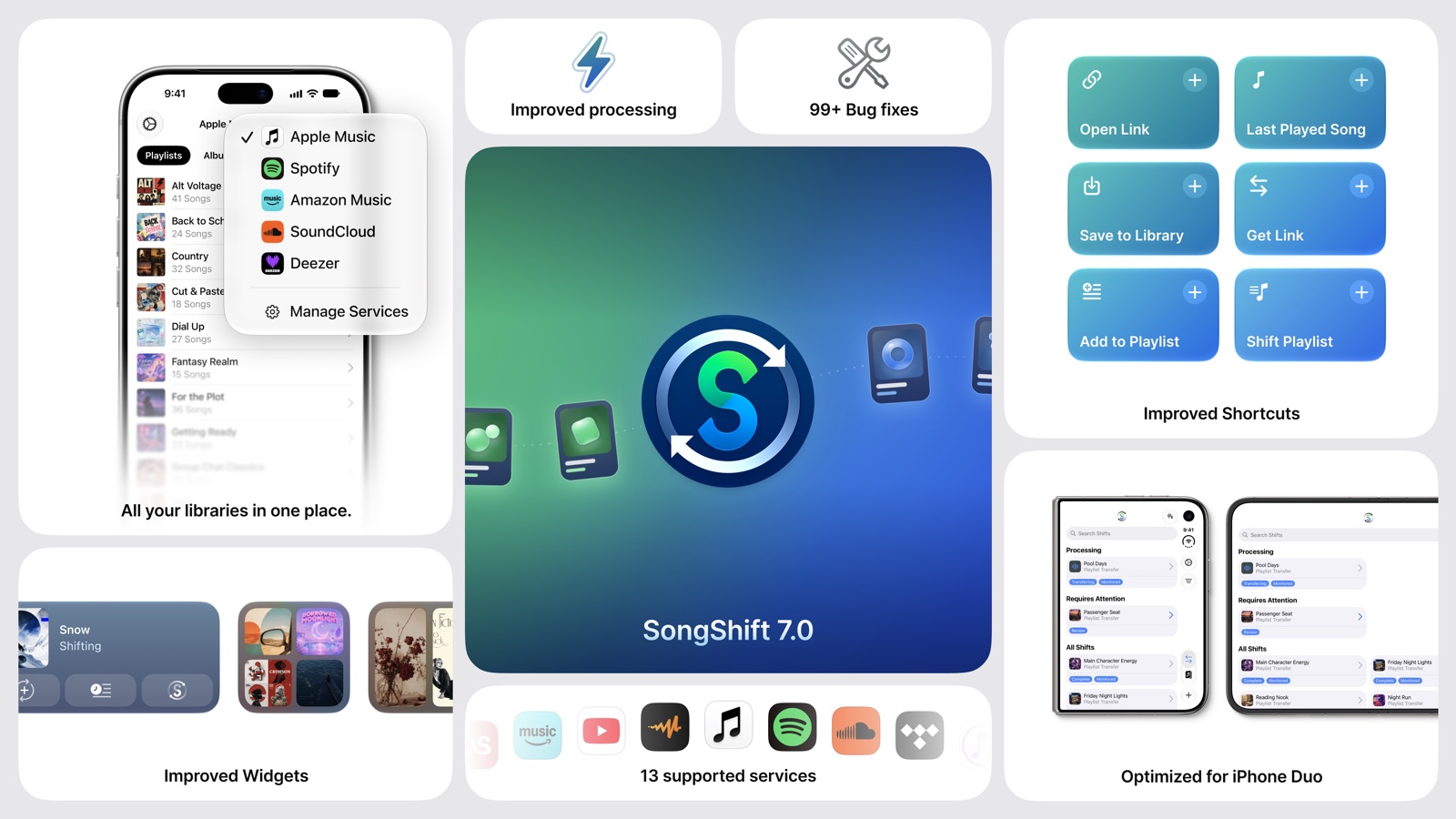
A refreshed SongShift
New tab navigation keeps your Shifts, Music Library, and the option to start a new Shift close at hand. We've refined the design throughout the app and adopted Liquid Glass on iOS 26 and later. SongShift 7.0 is also iPhone Duo ready, with layouts built to make the most of its display.
Your music libraries, in one place
The new Music Library tab lets you browse playlists, albums, and songs from your connected music services without leaving SongShift. Switch between services, explore a playlist or album, and start a transfer directly from its detail screen.
There's more to do with your music, too:
- Edit playlists: Update playlist titles and descriptions on services that support editing.
- Add songs: Search for songs and add them directly to your playlists.
- Explore the details: View playlist, album, and song information, then copy the details you need, including a playlist's song list.
- Find links across services: Copy a link or open music in another supported service from the library's actions and context menus.
Available browsing and editing options depend on the music service and playlist.
More ways to use SongShift
- Updated Siri and Shortcuts support: Open a music link in your preferred service, get a link for another service, save music to your library, or retrieve your last played song. Visit the updated Siri Shortcuts screen in Settings to learn about the available actions.
- Refreshed widgets: Recently Played widgets have updated layouts and backgrounds inspired by your artwork. The Mosaic widget now offers optional music tools and an extra-large size on iPad, with improved support for Home Screen appearance options.
- Simpler file imports: SongShift detects whether a supported JSON or TXT file contains playlists, albums, or songs and shows a summary before you configure the transfer.
- Importer and clipboard improvements: Sharing a link to SongShift with the Importer, or pasting a copied link when setting up a Shift, now works with more links. That includes YouTube video links and additional YouTube playlist URL formats, SoundCloud tracks and playlists, and TIDAL share links. We've also fixed bugs in both, and when a link can't be imported SongShift now tells you why, with options to retry or copy the link.
- Clearer library connections: Your local iTunes Library now appears separately from Apple Music, making it clearer which library you're using as a transfer source.
- More languages: Expanded translations cover the app, widgets, Shortcuts, and notifications, with support for 26 localizations. We've also refined right-to-left layouts and support for larger text sizes.
Better transfers and syncing
We've reworked much of SongShift's transfer experience, including processing progress, error recovery, service connections, and playlist synchronization. This release also delivers bug fixes for re-syncing and monitored Shifts, along with fixes for transfers and library loading across supported music services.
Playlist sharing moves to SongMix
With SongShift 7.0, SongShare is no longer part of the app. Playlist sharing and discovery now have their own home in SongMix, while SongShift stays focused on transferring and synchronizing your music.
SongMix lets you bring your playlists together and share them with a single link, even when your friends use different streaming services. You can read more in our SongMix introduction.
Get SongShift 7.0
Download SongShift 7.0 here from the App Store. If you already have SongShift installed, update to the latest version to get started.
If you run into an issue or have feedback, reach out in SongShift under Settings → Feedback and Support. We'd love to hear what you think.